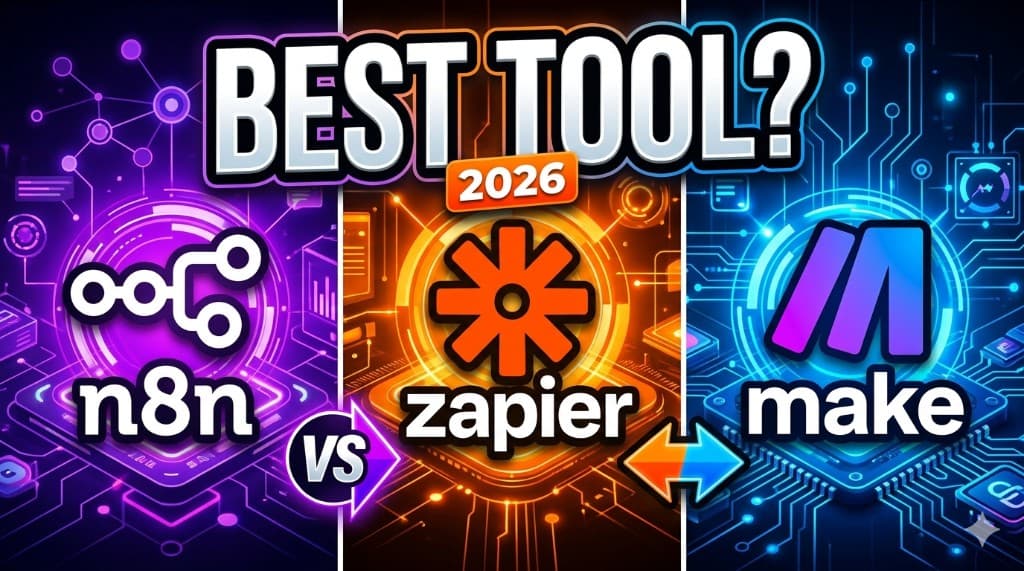
n8n vs Zapier vs Make (Which One Should You Use in 2026?)
Everyone says "automate your business." Nobody tells you which tool to actually use. So you Google n8n vs Zapier vs Make, watch three tutorials, and end up more confused—because all three can "connect apps," and the marketing sounds identical. Here's the straight take: they're built for different pain tolerances and different invoices. Pick wrong, and you'll either outgrow the tool in a month or spend your nights debugging a graph you never needed.
The confusion is normal. Zapier is the friendly default. Make is the visual power tool. n8n is the open-source muscle—flexible, a bit feral, sometimes self-hosted. Same job category, different tradeoffs. If you're packaging this for clients, how to start an AI automation agency is where pricing and offers click; this post is the engine room.
Quick answer: n8n vs Zapier vs Make (2026)
- Best for beginners → Zapier. Fastest time-to-first-win, huge integrations, least cognitive load.
- Best for flexibility → n8n. Deep branching, code when you need it, self-host option, strong logs—if you'll maintain it.
- Best balance → Make. Visual scenarios, serious logic, still no-code-first—middle path between Zap's simplicity and n8n's depth.
Pick the tool you can support at 9 p.m.—not the one with the prettiest homepage.
Stuff on ClickWise
Compare stacks with AI Finder before you promise a client a tool you haven't touched.
What are these tools?
n8n — Open-source workflow automation you can run in the cloud or on your own server. Developer-friendly: HTTP nodes, JavaScript when you want it, long-running workflows depending on plan. It's the workflow automation tool people pick when "Zapier can't express this graph" or when they want margin at scale.
Zapier — The default Zapier alternative to… nothing—it's the brand everyone copies. Dead simple "when this, do that," massive app directory, gentle learning curve. It gets expensive when tasks pile up—that's the trade.
Make (formerly Integromat) — Visual scenarios, routers, iterators—Make vs Zapier usually comes down to "I need real branching and I don't want to write code yet." Strong middle ground; watch operations when volume spikes.
Core comparison (at a glance)
| Zapier | Make | n8n | |
|---|---|---|---|
| Ease of use | Easiest | Moderate—visual but busy | Steeper—power users |
| Pricing feel (2026) | Per-task; adds up fast | Per-operation; spike-sensitive | Cloud tiers or self-host savings |
| Flexibility | Good for linear flows | Strong branching, iterators | Very strong—code + HTTP |
| Integrations | Largest catalog | Large; different edge cases | Huge via community + HTTP |
| Best for | Quick wins, non-tech buyers | Balanced complexity | Agencies, tech-heavy builds |
| Learning curve | Low | Medium | Medium–high |
n8n
Pros: Open-source ethos, serious flexibility, self-hosting for margin and control, great when you need custom HTTP/API glue, audit-friendly if you run it yourself.
Cons: Steeper setup if self-hosting; you own uptime; fewer "hand-holdy" defaults than Zapier; fair-source licensing details matter for some teams.
Best use cases: Multi-branch pipelines, heavy API work, clients who want logs and retries, agencies selling technical reliability.
Pricing (2026-style): n8n Cloud bills on usage tiers; self-hosted shifts cost to infra and your time—often cheapest per run at scale if you know what you're doing.
Who should use it: Freelancers going pro, small teams with a technical owner, anyone saying "Zapier can't model this" with a straight face.
Zapier
Pros: Fastest path to a working automation; absurd app coverage; easy to explain on a client invoice; great for MVPs.
Cons: Task-based billing hurts at volume; complex logic gets awkward or expensive; you hit ceilings without feeling "technical."
Best use cases: Form → CRM → Slack, simple email routing, connecting SaaS where the path is basically a straight line.
Pricing (2026-style): Free tier for learning; paid plans jump with task count—model monthly tasks before you promise unlimited volume to a client.
Who should use it: Beginners, solopreneurs, "I need this live by Friday" energy.
Make
Pros: Visual clarity for branching; powerful scenarios without full devops; sweet spot for freelancers who outgrew Zapier but don't want n8n yet.
Cons: Busy UI for newcomers; operations can spike cost; error handling still your job.
Best use cases: Lead routing with multiple outcomes, content ops with splits, anything that isn't a single straight line.
Pricing (2026-style): Free tier to learn; paid by operations—watch webhooks and high-frequency triggers.
Who should use it: Freelancers building repeatable client templates; small teams that want power without hosting servers.
Real use case examples
These are the builds that actually pay—boring on purpose. For packaged offers and price bands, AI automation ideas that sell lines up ten invoice-friendly patterns.
- Lead automation: Ad/form lead → CRM create → Slack alert → optional AI draft (human sends). Zapier or Make for speed; n8n when routing is ugly.
- Email workflows: Label/route inbound mail; draft first reply for approval. Any of the three + OpenAI module or HTTP to your model.
- CRM updates: Meeting booked → stage change → task assign. Usually Zapier/Make first; n8n when joins get custom.
- AI integrations: Classify ticket → route + summary. All three support AI steps—treat AI like a risky node: log, retry, human fallback.
Pricing breakdown (2026—read the footnotes)
Exact numbers change—always check the vendor page before you quote a client. Patterns stay true: Zapier taxes tasks, Make taxes operations, n8n taxes cloud usage or your hosting time.
| Cost type | What to watch |
|---|---|
| Free plans | Great for learning; caps bite when you go live—upgrade math is part of the spec |
| Paid plans | Zapier: task tiers; Make: ops tiers; n8n Cloud: usage/scale—compare monthly + annual |
| Hidden costs | Extra paths, filters, and retries eat units; AI API bills sit outside the orchestrator; self-hosted n8n = servers + backups + your sleep |
Which one should you choose?
Beginner → Zapier. Ship something this week. Pair with AI automation for beginners if you want a setup path without heroics.
Freelancer → Make. You need branching without pretending you're a platform engineer—templates, iterators, scenarios you can reuse across clients.
Agency / advanced → n8n. You're selling reliability, margin, and complex graphs—often with agency-style retainers once the demos land.
Selling the work is a different skill than wiring nodes. For outreach and first checks, how to get AI clients keeps you out of tutorial hell.
Common mistakes
- Hype-driven picks: choosing n8n because it sounds "serious" when Zapier would have shipped Friday.
- Overcomplicated stacks: three orchestrators and seven databases—pick one spine.
- Ignoring cost scaling: "only $20/mo" until the client's leads 10× and your task bill explodes.
- No failure path: if there's no alert when a run dies, you don't have automation—you have roulette.
Pro tips
- Start simple: one trigger, one happy path, one human checkpoint.
- One workflow to completion before you "just add" five branches.
- Don't switch tools weekly—you're building judgment, not collecting logos.
FAQ
Which automation tool is best for beginners—n8n, Zapier, or Make?+
Is n8n better than Zapier?+
Is Make hard to learn compared to Zapier?+
Which is cheapest—n8n, Zapier, or Make?+
Can I use AI with n8n, Zapier, and Make?+
Related on ClickWise
Explore more in the Blog and Tools sections—we keep internal links light so this guide stays easy to read.
Keep Reading

Try Our Free Tools
Want more guides like this?
Join 50K+ readers getting weekly tips on AI, automation & making money online.
Subscribe Free