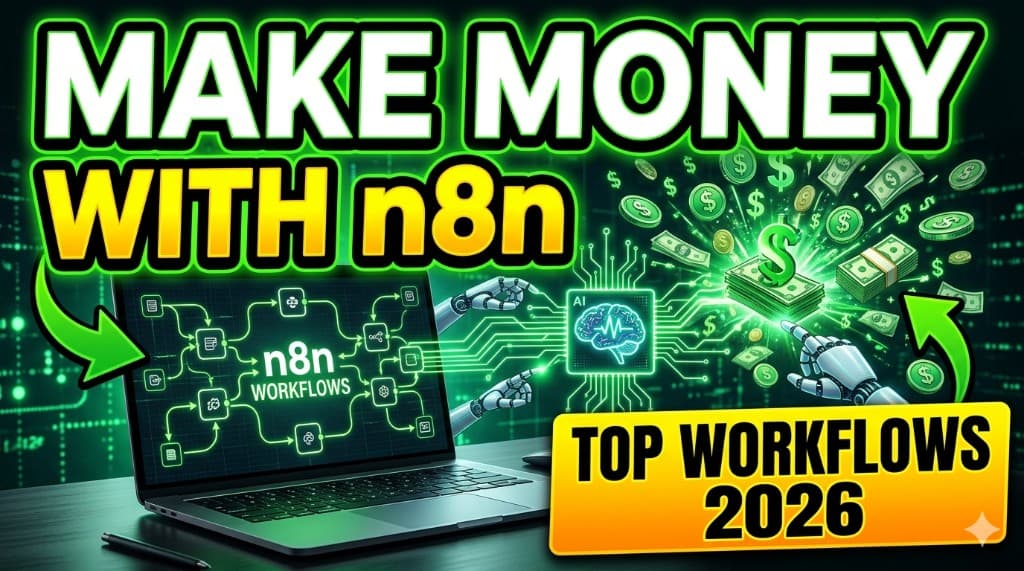
Best n8n Workflows to Make Money in 2026 (Step-by-Step Guide)
Half the freelancers in my feed can draw an n8n graph. The other half can talk about "AI automation" until the room falls asleep. What almost nobody says out loud is the boring truth: n8n workflows only pay when they touch money—leads, time, renewals, reporting—and when you can explain the outcome in one sentence. Knowing the tool is not the same as knowing how to make money with n8n.
This is a step-by-step guide to profitable n8n automation ideas you can actually sell: what each flow does, how it converts to dollars, who should build it, and the rookie mistakes that keep your hourly rate at zero. If you are choosing a stack first, read n8n vs Zapier vs Make before you promise unlimited tasks to a client. If you want the bigger money story first, our make money with n8n guide is the companion piece to this workflow list.
Here is the pattern that separates hobbyists from people who get paid: they do not sell "I know n8n." They sell a measurable outcome—"leads stop dying in the inbox" or "your client reports write themselves every Monday." That is the same skill you already use when you explain anything to a friend: clear before clever. The n8n workflows below are templates for those conversations. Pick one that matches a niche you can talk to without a script.
You will also notice I am not giving you a giant library of nodes. Clients do not buy node count; they buy reliability. So every idea here assumes you will add logging, alerts when something breaks, and a human in the loop anywhere trust is on the line—especially for AI drafts and outbound email. If you want the full stack comparison, n8n vs Zapier vs Make is still the right place to align pricing and hosting before you sign a scope.
Pick one workflow, ship it, invoice it—then repeat.
What is n8n (in one breath)
n8n is workflow automation: triggers, branches, HTTP calls, and app integrations—so work moves without you babysitting every click. It is not magic; it is a graph you maintain. That is why n8n use cases for income almost always look like "fewer dropped leads" or "fewer Sunday-night spreadsheets"—not "I used AI." For tool context beyond n8n, see our best AI automation tools roundup.
Think of it as plumbing for business operations. A trigger might be a webhook, a schedule, or a new row. A router might send VIP leads to Slack and everyone else to the CRM queue. A Code node might normalize messy phone numbers. The difference between a demo and a paycheck is whether that plumbing survives bad data, API timeouts, and a client who changes a field name without telling you.
Self-hosted n8n can be cheaper at scale; cloud n8n can be cheaper in time. Neither choice is morally superior—only compatible with how you want to run support and how you want to bill. If you are still deciding, the n8n vs Zapier vs Make article walks through task pricing and who each tool is for so you do not accidentally underprice a make money with n8n offer.
Profitable n8n workflows you can sell (7 ideas)
Below are n8n workflows with a money story. You do not need all seven—pick one, build a demo, then sell a pilot.
Order does not equal importance. Lead gen and reporting are usually the easiest to sell because the ROI is obvious. Social and content automation pay well as retainers when you deliver consistency and guardrails. Invoicing and reputation flows are underrated: they are not flashy, but they speak directly to cash and trust, which is how small businesses actually decide to pay you.
1. Lead generation automation
What it does: New form or ad lead → qualify with a few rules → create/update CRM record → Slack or email alert → optional AI summary of the message.
How it makes money: Businesses pay for speed-to-lead and fewer ghosted inquiries. You sell hours returned + higher close rates.
Who should use it: Local services, agencies, B2B shops with messy inboxes.
Implementation detail that wins deals: tag the source (Meta vs Google vs website) and dedupe by email before you create noise in the CRM. Add a "stale lead" reminder after 24–48 hours so salespeople cannot pretend the system failed when they simply did not follow up. That is how n8n workflows become something a manager will defend in a budget meeting.
2. Social media automation
What it does: Approved content queue → scheduled posts → cross-post where safe → log results to a sheet → weekly summary email.
How it makes money: Creators and small brands pay for consistency without hiring a full social team—sell a monthly retainer.
Who should use it: Solo creators, small ecommerce, coaches who film in batches.
The money is not in "auto-posting" alone—it is in approval gates and asset hygiene. n8n can pull captions from a sheet where a human marks rows as approved, then schedule. That keeps brand risk low and makes your n8n automation ideas defensible when a client panics about a bad tweet.
3. Email outreach automation
What it does: New row in a sheet or CRM stage change → personalized draft (template + AI assist) → human approval step → send → log replies.
How it makes money: Sales teams pay for pipeline hygiene—fewer forgotten follow-ups, cleaner handoffs.
Who should use it: Outbound-heavy SMBs, recruiters, small sales teams.
Never let AI send cold email without review in 2026—deliverability and compliance are not worth gambling. The sellable version is "draft + approve + send + log," sometimes with throttling so domains do not get burned. You are selling discipline, not spam throughput.
4. AI content automation
What it does: New brief in Notion or form → AI generates outline → human approval → sections drafted → final review → publish or hand off.
How it makes money: Content ops sell for retainers when you measure output and time saved—never sell "unlimited AI" without guardrails.
Who should use it: Marketing teams, agencies, newsletter operators.
Package it as a production line: brief → outline → draft chunks → editor pass. Store outputs in the client's workspace so they own the asset. If you pair this with reporting (time saved, drafts per week), you turn a cool demo into a make money with n8n offer that survives the first month.
5. Client reporting dashboards
What it does: Pull metrics from ads, analytics, CRM → normalize → write a Google Sheet or Notion dashboard → email weekly PDF or link.
How it makes money: Clients pay for visibility—fewer meetings asking "what happened last week?"
Who should use it: Agencies, freelancers managing spend for clients.
Start with one channel and one KPI sheet clients actually look at—usually spend, leads, and cost per lead. Expand later. The win is narrative: same numbers every week, same format, fewer surprises. That is one of the cleanest n8n use cases for recurring revenue because churn hurts when reporting disappears.
6. Invoice & payment follow-up
What it does: Invoice overdue → reminder sequence → escalate to owner if no reply → optional Slack ping.
How it makes money: You are literally helping cash hit the bank faster—easy ROI story.
Who should use it: Freelancers, small agencies, contractors with net-30 chaos.
Tone matters: polite first, firmer later, always factual. Many small businesses want automation here but fear sounding "like a robot," so give them editable templates per step. If you connect Stripe, QuickBooks, or Wave, document exactly which events trigger which email so finance trusts the workflow.
7. Review & reputation automation
What it does: After a completed job, send a timed review request → route happy customers to Google → route negative feedback to a private form.
How it makes money: Local businesses pay for reputation compounding—more reviews, more calls.
Who should use it: Salons, clinics, trades, anyone who lives on Google Maps.
The ethical line is simple: ask for honest feedback, do not bribe for stars, and make it easy to complain privately before someone vents publicly. When you explain that clearly, owners relax—and you get paid for a system that protects both revenue and dignity.
Step-by-step beginner roadmap
If you are new, treat this like learning to drive: one route, many reps, then highways. The roadmap below is intentionally small. You are not building a platform—you are building proof that you can ship.
- Pick one niche—coaches, dentists, agencies—so your demo looks real.
- Build one workflow end-to-end on fake data until it never breaks silently.
- Record a Loom under five minutes: trigger → success → log.
- Price a pilot with a fixed scope and one revision.
- Send outreach with a specific pain + your clip; use how to get your first AI client if you freeze at the send button.
- Document handoff: one page—what it connects to, what credentials you need, what "healthy" looks like, and what you will do monthly.
- Run a paid monthly check-in for the first 60–90 days—even if it is small—so fixes do not become free therapy.
After the first pilot, resist the urge to rebuild everything as "more advanced." Maturity usually looks like better error messages, clearer logs, and a calmer client—not a bigger graph. If you want the bigger-picture path to earning from automation, make money with n8n ties pricing and positioning to the same discipline.
Tools you actually need
You do not need a shopping cart full of tools to sell your first n8n workflows. You need a short stack you can explain and bill for. Start here, then add only when a client pays for the complexity.
- n8n (cloud or self-hosted)—pick one hosting story and stick to it.
- CRM or Sheets as the system of record—do not let the workflow be the database of truth forever.
- OpenAI / ChatGPT API when you need classification or drafts—never unsupervised on customer-facing money.
- Optional agent layer: Some teams pair automation with a local agent framework for richer chat—if you are exploring that, read our OpenClaw AI review before you merge hype with production.
- Password manager + env secrets—treat API keys like cash; rotate when staff changes.
- Monitoring that you actually check—email alerts, Slack, or a simple "failed run" log—so you are not the last to know.
- A backup owner—even a short runbook PDF—so the client is not trapped if you disappear.
If you are comparing orchestrators for a client proposal, n8n vs Zapier vs Make is the honest billing conversation. If you are comparing AI assistants and agent frameworks, read OpenClaw AI review alongside our best AI automation tools list so you pick tools for outcomes, not logos.
Mistakes that cost you money
Most failed projects do not die because n8n is hard. They die because expectations were fuzzy and nobody owned maintenance. Read this list like a preflight checklist—boring saves you.
- No failure path: if a node fails quietly, you do not have automation—you have roulette.
- Scope creep: "while you are at it" is how projects die.
- Ignoring usage costs: model calls and task volume add up—model before you flat-fee.
- Selling the tool: sell outcomes; clients do not buy "n8n," they buy time back.
- Mystery credentials: if only you can fix it, you have built a job with no boundaries—charge for it or document it.
- Skipping UAT: user acceptance testing with real messy data beats a perfect demo with fake rows.
- Promising AI autonomy: autonomy without guardrails is how you lose trust in one afternoon.
Final thoughts
The best n8n workflows are boring on purpose: they show up every day, log what they did, and free a human to do work that actually needs a human. If you want n8n automation ideas that pay, start with lead gen or reporting—both are easy to demo and easy to measure. Then raise prices when you have receipts.
You already have the hard part—curiosity. The easy part is shipping one flow this week and sending ten messages. Everything else is noise until someone pays you to keep the lights on.
In 2026, the market does not need more automation demos. It needs fewer dropped leads, fewer chaotic inboxes, and fewer Sunday-night spreadsheets. Build one of those, put a price on it, and keep your n8n use cases tied to numbers a client can repeat to their partner. That is how make money with n8n stops being a tweet and becomes a bank deposit.
FAQ
What n8n workflows are most profitable in 2026?+
Can beginners sell n8n workflows?+
How do I price n8n automation?+
n8n vs Zapier for making money?+
Do I need coding for n8n?+
Related on ClickWise
Make money with n8n · n8n vs Zapier vs Make · OpenClaw AI review · Best AI automation tools
Keep Reading
Try Our Free Tools
Want more guides like this?
Join 50K+ readers getting weekly tips on AI, automation & making money online.
Subscribe Free