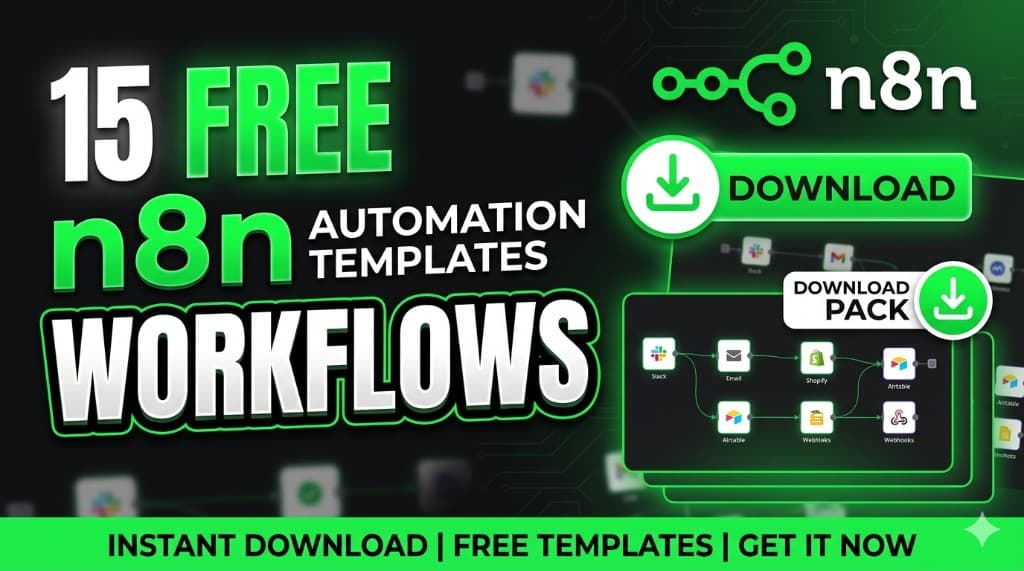
15 n8n Templates That Make Money in 2026 (Copy & Sell These Workflows)
Most people using n8n are making $0.Not because the tool is hard—
but because they don't know what to SELL.This guide gives you 15 proven n8n workflows that freelancers are already selling for $200 to $2,000.You can copy them, customize them, and get paid this week.
How to Make Money with n8n Templates (Step-by-Step)
If you're searching for "how to make money with n8n", here's the simplest path—the same one behind most n8n freelance wins and n8n business ideas that actually ship:
- Pick one template from this list
- Customize it for a niche (real estate, ecom, agencies)
- Sell it as a $300–$1,000 service (pilot or fixed build)
For a deeper playbook, pair this with how to make money with n8n and—when clients ask about tools—n8n vs Zapier vs Make.
The uncomfortable truth: building workflows from scratch is where projects die—unclear triggers, mystery credentials, and "we will fix it in prod." n8n templates flip the script. You start from a proven graph, swap keys, and prove value in days, not quarters.
Real results
- Lead gen workflow → $500/client
- Cold email automation → $800 setup
- AI content workflow → $300/month retainer
These are not ideas — these are services people are already paying for.
Why "n8n workflows download" is trending (and what it actually means)
n8n templates are pre-built workflows—nodes, logic, and connections—exported as JSON you can import into your workspace. They are trending because teams want AI automation and no-code tools without hiring a full integration team. A template is not magic; it is a shortcut that still needs your credentials, error handling, and brand-safe prompts.
- Speed: skip blank-canvas paralysis and ship a demo on sample data.
- Margin: sell implementation and support, not reinventing HTTP requests.
- Proof: show before/after metrics (leads captured, emails sent, hours saved).
Treat every n8n workflows download like a starter kit: verify triggers, rate limits, and data privacy before you promise autonomy. For tool choice, compare ecosystems in n8n vs Zapier vs Make—same client problem, different ops overhead.
15 ready-to-use n8n templates (what each does + who should use it)
Below: practical names you can search in the n8n template library or community—then adapt nodes to your stack.
1. Lead generation workflow
What it does: captures inbound leads (form, ad, landing page), dedupes, scores lightly, routes to CRM and Slack, and logs source.
Who should use it: B2B founders, agencies, and SDR-led teams that cannot afford dropped form fills.
2. Cold email automation
What it does: pulls prospects from a sheet or CRM, personalizes with AI within guardrails, sends in safe batches, and pauses on replies or bounces.
Who should use it: outbound freelancers and small agencies selling to US SMBs (compliance and domain health matter—never blast blindly).
3. AI content generator
What it does: turns briefs, URLs, or transcripts into drafts (blog, email, social) with brand voice snippets and human approval steps.
Who should use it: creators, marketing teams, and operators who need volume without publishing unchecked hallucinations.
4. Social media auto-posting
What it does: schedules posts from an approved sheet or Notion, attaches media, retries failures, and writes results back to a log.
Who should use it: solo brands and lean marketing teams that want consistency without living inside five native apps.
5. CRM automation
What it does: syncs contacts and deals across tools, enriches fields, assigns owners, and triggers tasks when stages change.
Who should use it: sales-led companies with messy spreadsheets pretending to be a CRM—this is revenue hygiene, not vanity.
6. Web scraping workflow
What it does: fetches pages or listings on a schedule, parses fields, stores rows, and alerts on changes (price, stock, rankings).
Who should use it: ecommerce operators, analysts, and agencies monitoring public data—respect robots.txt and terms of service.
7. AI chatbot workflow
What it does: ingests FAQs and docs, answers in-channel (site chat, Telegram, etc.), escalates to a human with context, and logs transcripts.
Who should use it: support-heavy SMBs that need 24/7 first-line coverage without promising legal or medical advice via bot.
8. Email follow-up system
What it does: sequences timed follow-ups after demos, proposals, or cart abandons; stops on reply; notifies sales on hot signals.
Who should use it: founders and closers who lose deals to "I will circle back"—automation nudges; humans still close.
9. Data sync automation
What it does: two-way or one-way sync between databases, Sheets, Airtable, and SaaS APIs with conflict rules and audit rows.
Who should use it: ops teams tired of CSV roulette—ideal when finance and sales need one source of truth.
10. Invoice automation
What it does: creates or pulls invoices, sends reminders, flags overdue accounts, and posts payment status to accounting tools.
Who should use it: freelancers and agencies where cash flow dies in the gap between "sent" and "paid."
11. Customer onboarding & welcome sequence
What it does: triggers after signup or purchase—creates accounts, sends segmented emails, assigns onboarding tasks, and pings CS on risk signals.
Who should use it: SaaS and service businesses that lose revenue in the first 14 days after conversion.
12. E-commerce order & fulfillment alerts
What it does: new order → inventory check → Slack/email to warehouse or 3PL → tracking updates back to customers.
Who should use it: Shopify/Woo brands drowning in manual "where is my order?" tickets.
13. Meeting notes → CRM & tasks
What it does: ingests transcripts or summaries, extracts action items and stakeholders, updates CRM fields, and creates tasks with owners.
Who should use it: sales teams and consultants who already record calls but fail to operationalize follow-ups.
14. RSS & competitor monitoring digest
What it does: watches feeds or site changes, summarizes with AI, and posts a daily or weekly digest to Slack or email.
Who should use it: marketers, investors, and founders who need signal without doom-scrolling.
15. Review & reputation automation
What it does: after a positive experience (delivery, appointment), requests reviews on Google or industry sites; routes unhappy replies privately first.
Who should use it: local services and ecommerce brands where star ratings directly move conversion.
How to import templates into n8n (step-by-step)
- Open n8n (Cloud or self-hosted) and create a new workflow.
- Open the Templates gallery or paste JSON from a trusted n8n workflows download source.
- Click Import from File or Import from URL (if enabled) and select the template JSON.
- Credential sweep: reconnect every node—OAuth, API keys, SMTP—never ship with author keys.
- Rename and tag the workflow (client, environment, owner).
- Run Test workflow on sandbox data; fix node versions if prompted.
- Turn on Error Workflow or alerting (Slack/email) before production.
- Activate—start with a narrow trigger (one form, one list) then expand.
How to customize templates for clients
- Clone first: duplicate the template per client so you never cross-wire data.
- Swap “system of record”: Sheets vs Airtable vs Postgres—pick one source of truth.
- Brand the AI: system prompts, tone samples, banned phrases, and PII redaction rules.
- Add approvals: human-in-the-loop for sends, refunds, and anything legally sensitive.
- Document: one-page SOP: triggers, owners, monthly cost estimate, and how to pause.
How to sell these workflows (pricing in USD)
Sell outcomes—hours saved, leads recovered, invoices paid faster—not node counts. Typical US-facing ranges freelancers use in 2026:
| Offer | What you deliver | Typical USD range |
|---|---|---|
| Pilot / setup | One workflow, sandbox test, handoff call | $250–$800 |
| Production build | CRM + comms + logging + error path | $800–$2,000 |
| Retainer | Monitoring, tweaks, monthly reporting | $200–$800 / mo |
| AI-heavy flows | Content, classification, chat with guardrails | Add 20–40% for token risk + QA |
Adjust for enterprise security reviews, SLAs, and after-hours support—charge for those explicitly.
Best tools to combine (OpenAI, Google Sheets, APIs)
- OpenAI (or similar): drafting, classification, summarization—always log prompts and outputs for disputes.
- Google Sheets: fastest client-facing control panel for non-technical teams—validate row locks before scaling.
- CRM APIs (HubSpot, Salesforce, Pipedrive): own the object model early—bad field mapping kills projects.
- Communication: Slack, email (Resend, SendGrid), Twilio—pick what the client already pays for.
- HTTP + webhooks: the universal duct tape—document payloads and idempotency keys.
Conclusion: copy, import, get paid
Pick ONE workflow from this list.Build it in the next 24 hours.Then message 10 people on LinkedIn: "I built a small automation that can help you with X—want to try it?"That's how you get your first client.
Import the JSON from the official n8n template gallery (or your curated pack), run it on sample data first, then send that message. Still choosing a stack? See n8n vs Zapier vs Make.
FAQ
Where can I find free n8n automation templates to download?+
Are n8n templates safe to use for client work?+
Do I still need to learn n8n if I use templates?+
Related on ClickWise
Make money with n8n · n8n vs Zapier vs Make · Best n8n workflows to make money
Keep Reading
Try Our Free Tools
Want more guides like this?
Join 50K+ readers getting weekly tips on AI, automation & making money online.
Subscribe Free